Hi everyone, I’m setting up my ticket lister, is it possible to set up a widget that when I select a ticket from the list on the left shows me the list of order items? Thank you all
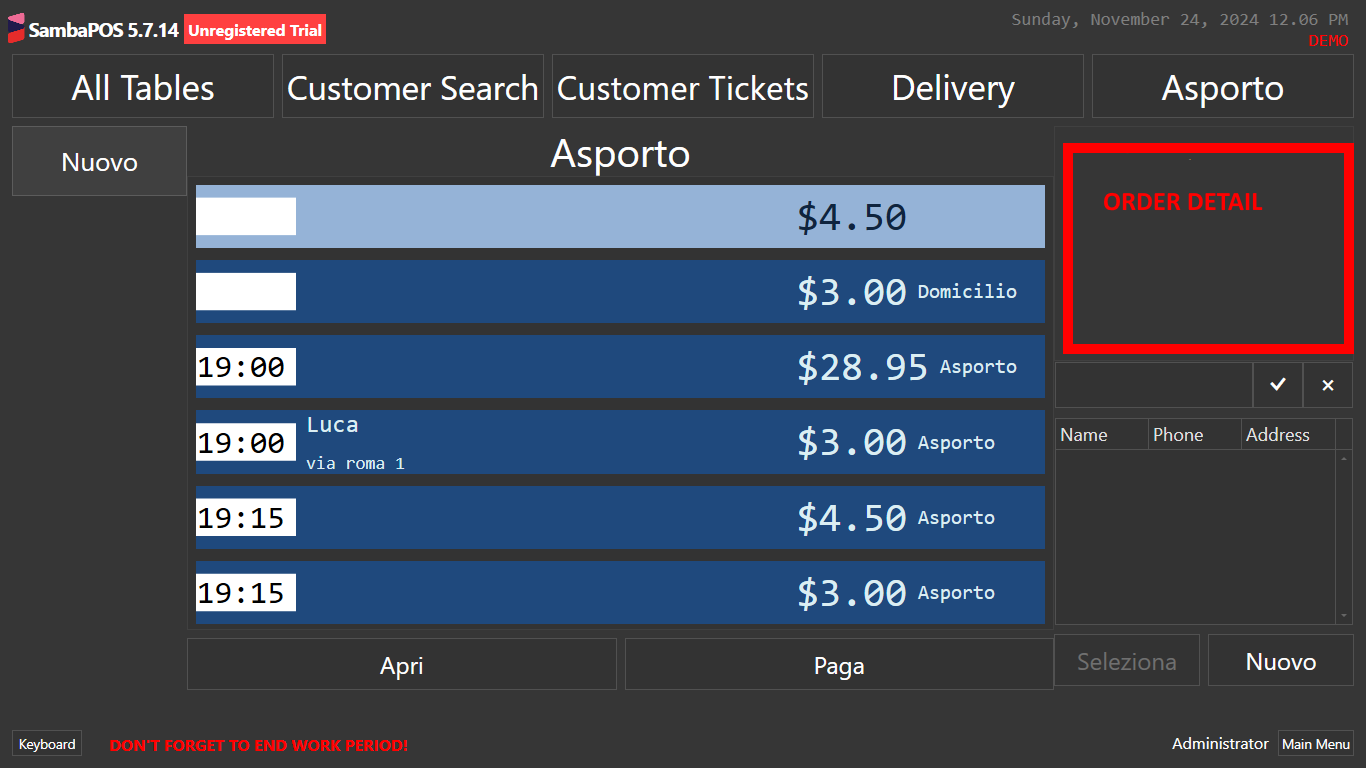
After several days, I succeeded, but I don’t think it’s the best method as it takes a long time to update. I created a second ticket lister with the filter in the status called “Preview”. then I created 1 rule that changes the status of the ticket when selected in the first lister.
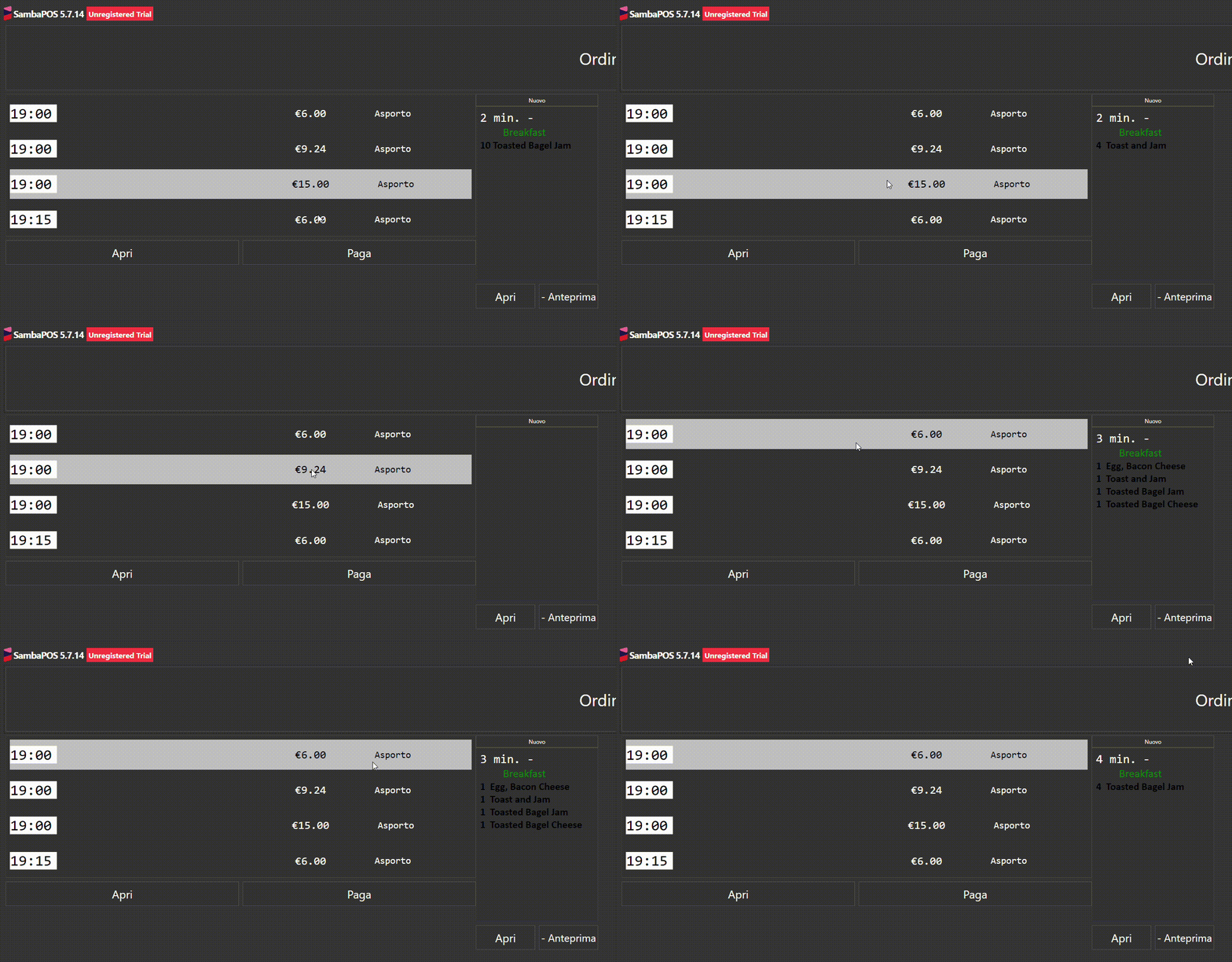
Have you tried putting in a refresh widget action? Not sure if that will speed things up.
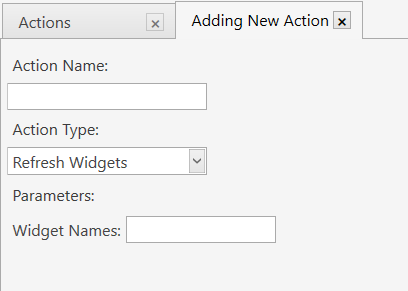
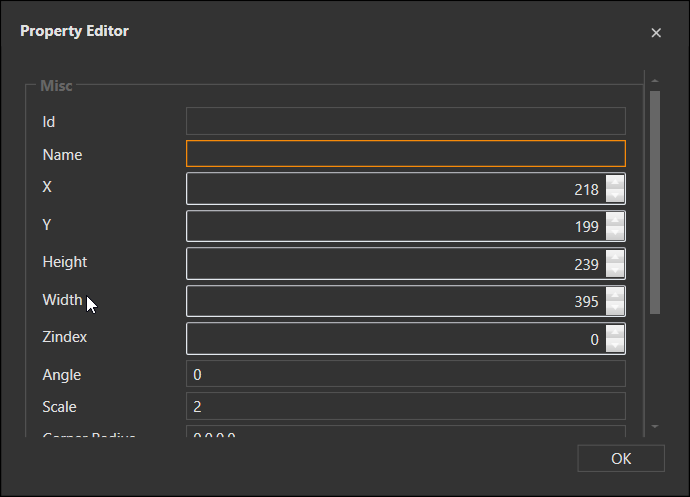
Your second ticket lister widget will need a name. Right click and choose Properties. Put the same name for both action and property widget name.
It may be faster if you used a Task widget and a print task action to print a template instead of using a 2nd ticket lister. Ticket lister can get expensive on resources.
This may give an idea.
Kitchen/Bar Display using Task Printer - separate displays for Food and Drink
thank you very much for the information
I’m studying the tutorial to understand how to display only the ticket I selected,
I don’t think I can filter the printjob by [:Ticket Id] but only by Tag.
I think now what slows down the preview, only the rules I set:
Load last ticket by local setting → remove state preview → close ticket → Load ticket selected → Change state to Preview → close ticket → and save the new one ticketId in local setting.
Is it possible to filter the printjob with the TicketId? thank you very much
I’ll send you a configuration you can modify. Here is a video of proof of concept. It’s not finished yet. Need to format the ticket lister to look good

Wow that looks awesome. Thank you so much
HI @Jesse am lookign this for ages am very thankful if you can share thank you
I need to finish it. I just created it with idea I saw today. I’ll work on it tonight and post it.
OK I have completed this first version. Here is a look at it. It was fairly complex to setup so give me some time to package it up and ill share a database tools file for this.

Ok you can use this but you will need to modify it. Maybe if i get time i will turn it into a configuration task
receipts.txt.zip (4.3 KB)
Excellent, it works very well, how can I implement it? Sorry but I don’t know much about programming
No programming was done for this. I just configured Sambapos features. You can import that file I shared using database tools in settings.
I too am not a developer and I dabble and understand it because I’m curious but I do not know how to code. I just spent time learning SambaPOS. I recommend you studying rules and actions and entity screens. You can do some cool things with a little learning curve.
can you do a video of the complete setup to guide us.?
managed the configuration task?
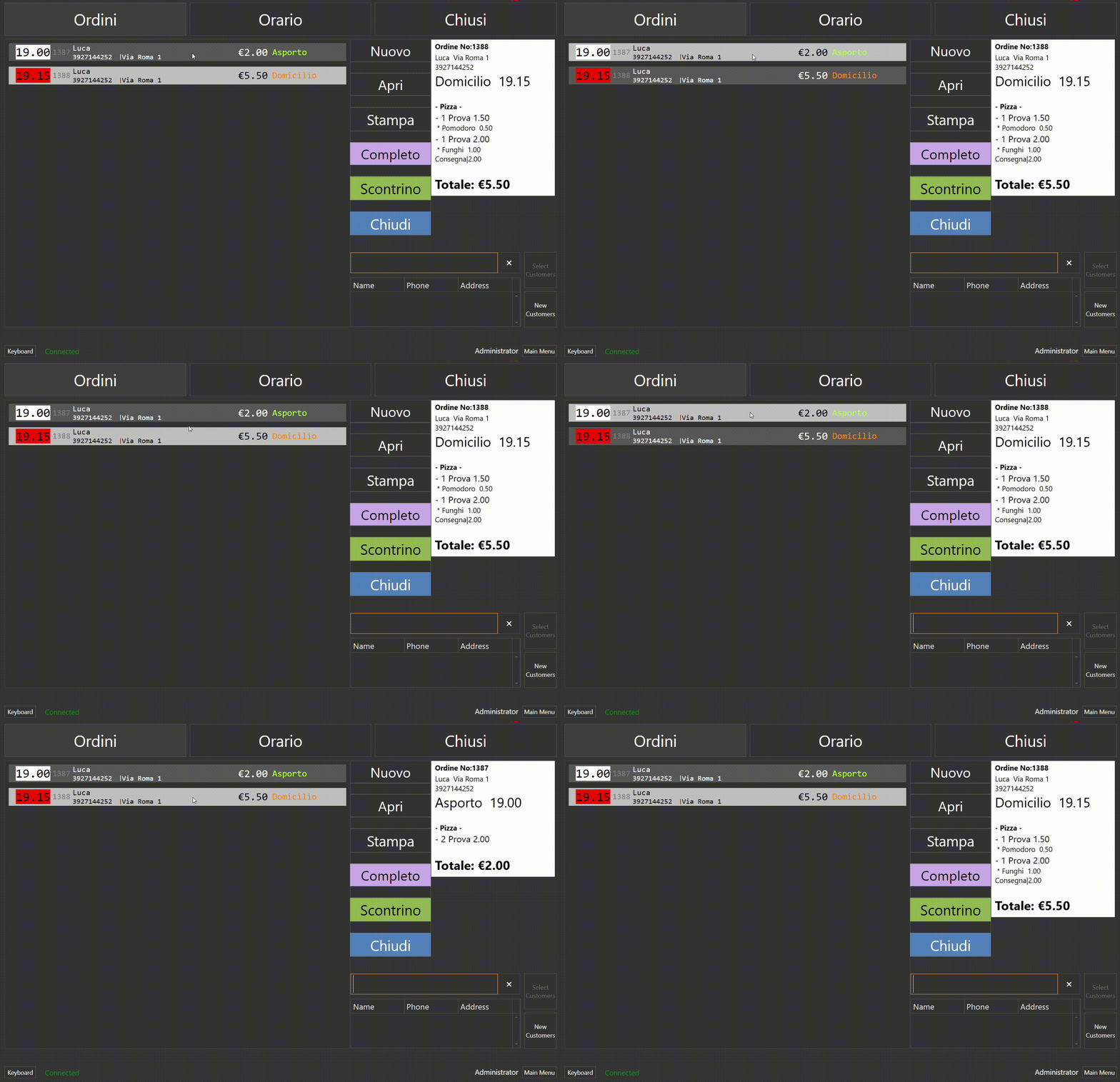
It’s been a while, but I solved it like this, not very responsive, but it works well.
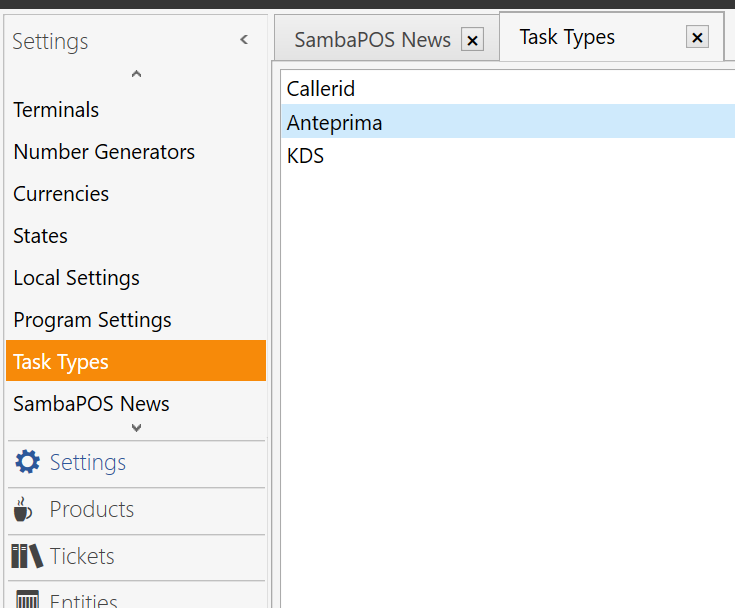
1- I created a task type “Anteprima” Preview
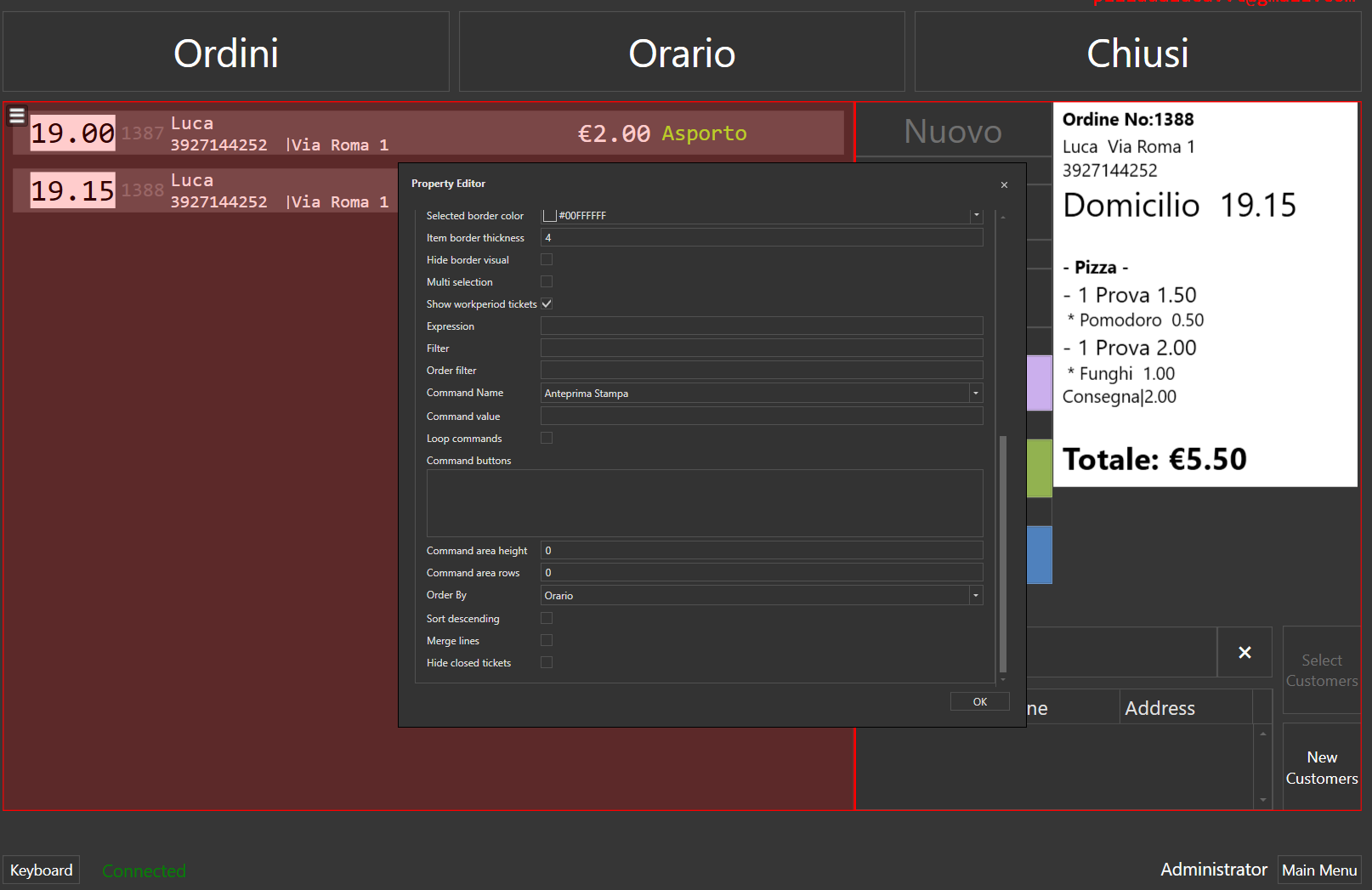
2- Set Command Name in Ticket Lister
3- Set Task Editor Setting
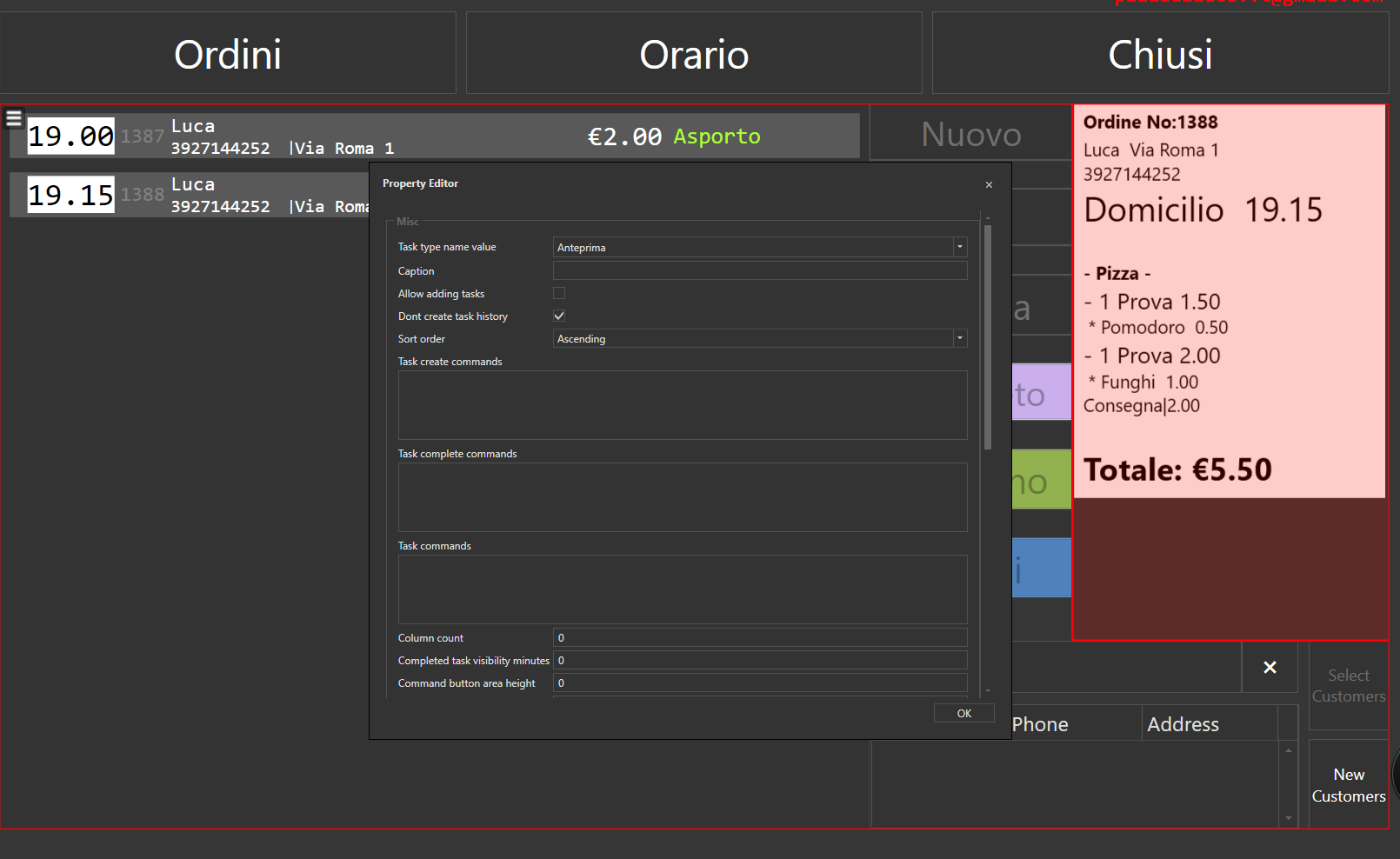
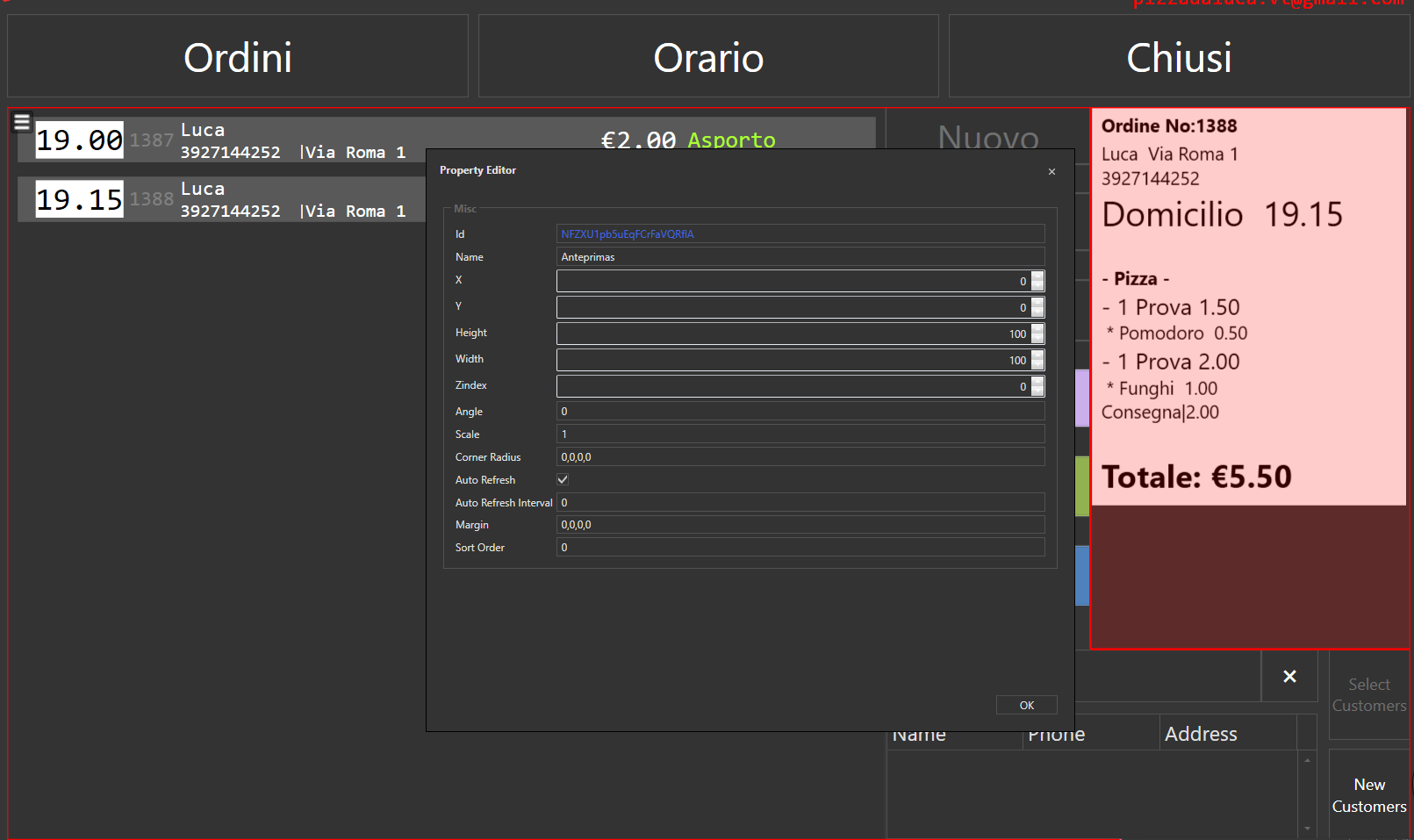
Set Task Editor Properties : set a Widget Name
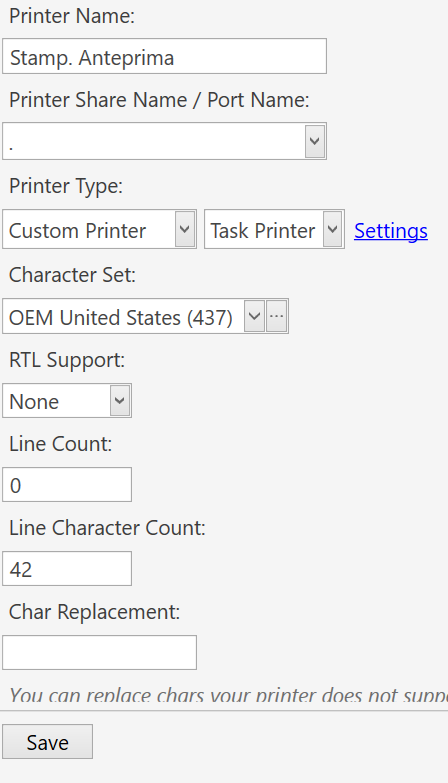
4- Set Printer
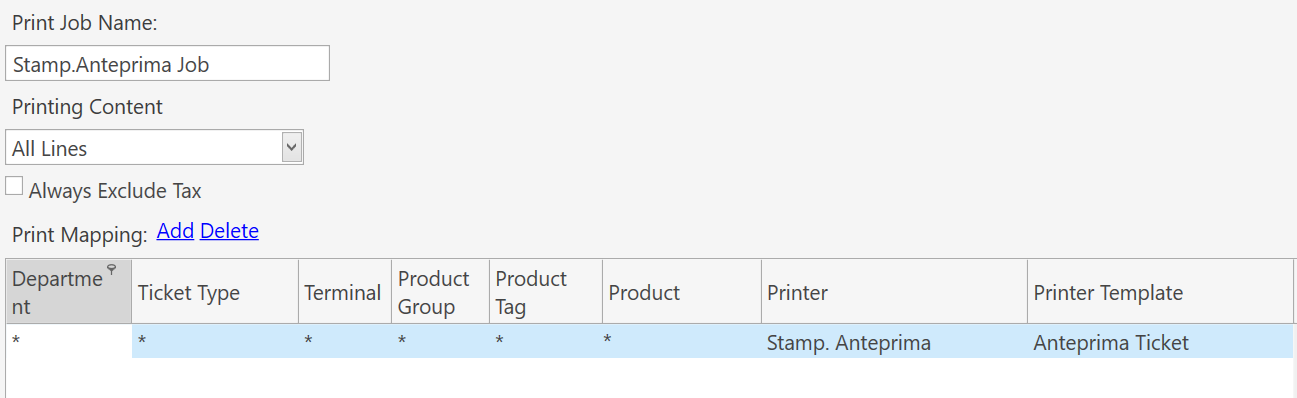
[LAYOUT]
-- General layout
++Ordine No:{TICKET NO}
{ENTITIES}
<size 30>{TICKET STATE:Ordine}  {ENTITY NAME:Orario}</size>
<size 20></size>
{ORDERS}

{DISCOUNTS}
[<J10>Total Gift:|{ORDER STATE TOTAL:Gift}]
{SERVICES}
<size 20></size>
<size 28><bold>Totale: €{TICKET TOTAL}</bold></size>
{PAYMENTS}


[DISCOUNTS]
{CALCULATION NAME} %{CALCULATION AMOUNT}|{CALCULATION TOTAL}

[SERVICES]
{CALCULATION NAME}|{CALCULATION TOTAL}

[PAYMENTS]
{PAYMENT NAME}|{PAYMENT AMOUNT}

[ORDERS GROUP|PRODUCT TAG:Gruppo:Pizza,Calzoni,Fritti,Calzoni Fritti,Panini,Piadina,Wrap,Bevande,Varie]
<bold>- {GROUP KEY} - </bold>

[ORDERS]
-- Default format for orders
<size 20>- {QUANTITY} {NAME} {TOTAL AMOUNT} </size>
{ORDER TAGS}

[ORDERS:Gift]
-- Format for gifted orders
<J00>- {QUANTITY} {NAME}|**GIFT**
{ORDER TAGS}

[ORDERS:Void]
-- Nothing will print for void lines

[ORDER TAGS]
-- Format for order tags
<size 16> * {ORDER TAG NAME}  {ORDER TAG PRICE} </size>

[ENTITIES:Table]
-- Table entity format
<L00>Table: {ENTITY NAME}

[ENTITIES:Customers]
-- Customer entity format
  {ENTITY NAME}  {ENTITY DATA:Address}
  {ENTITY DATA:Phone}
5- Create Rule and Action
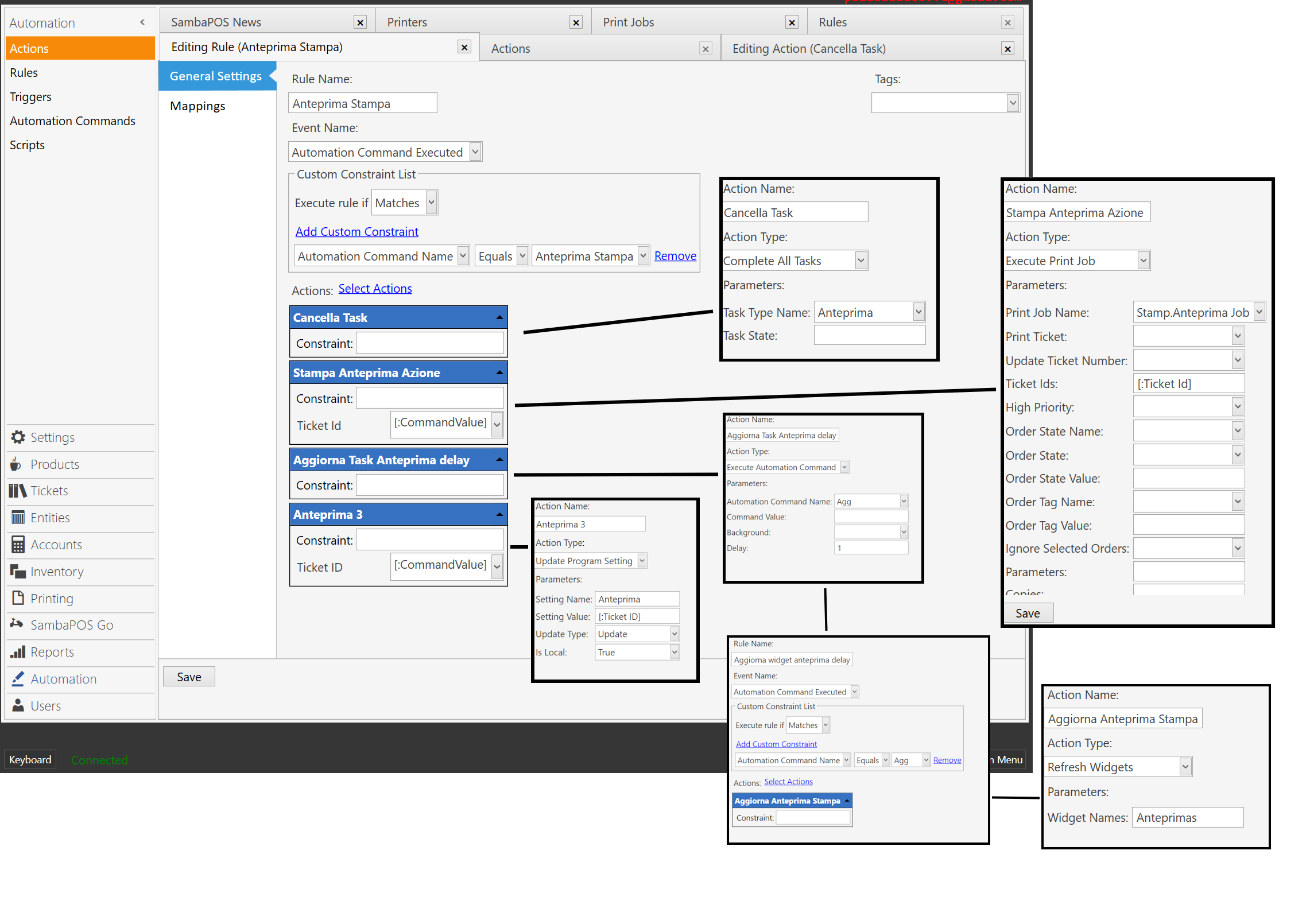
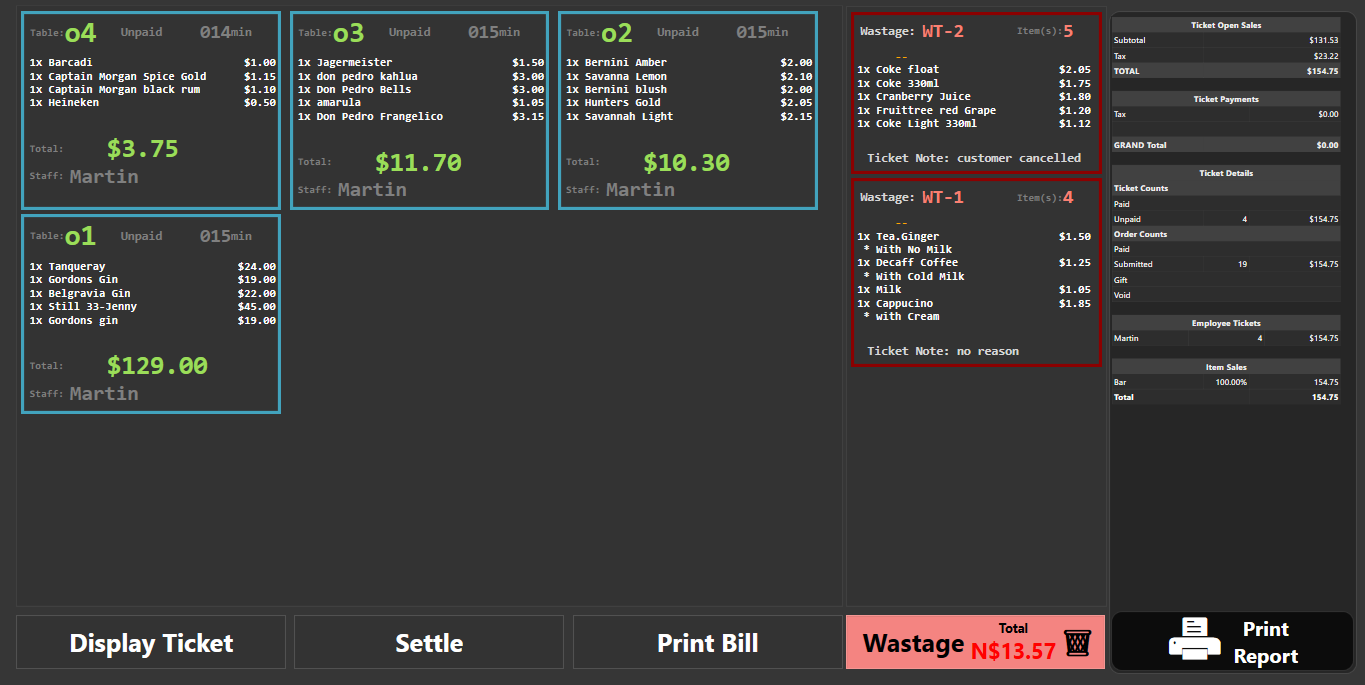
i slightly changed my setup, im using Ticket Lister
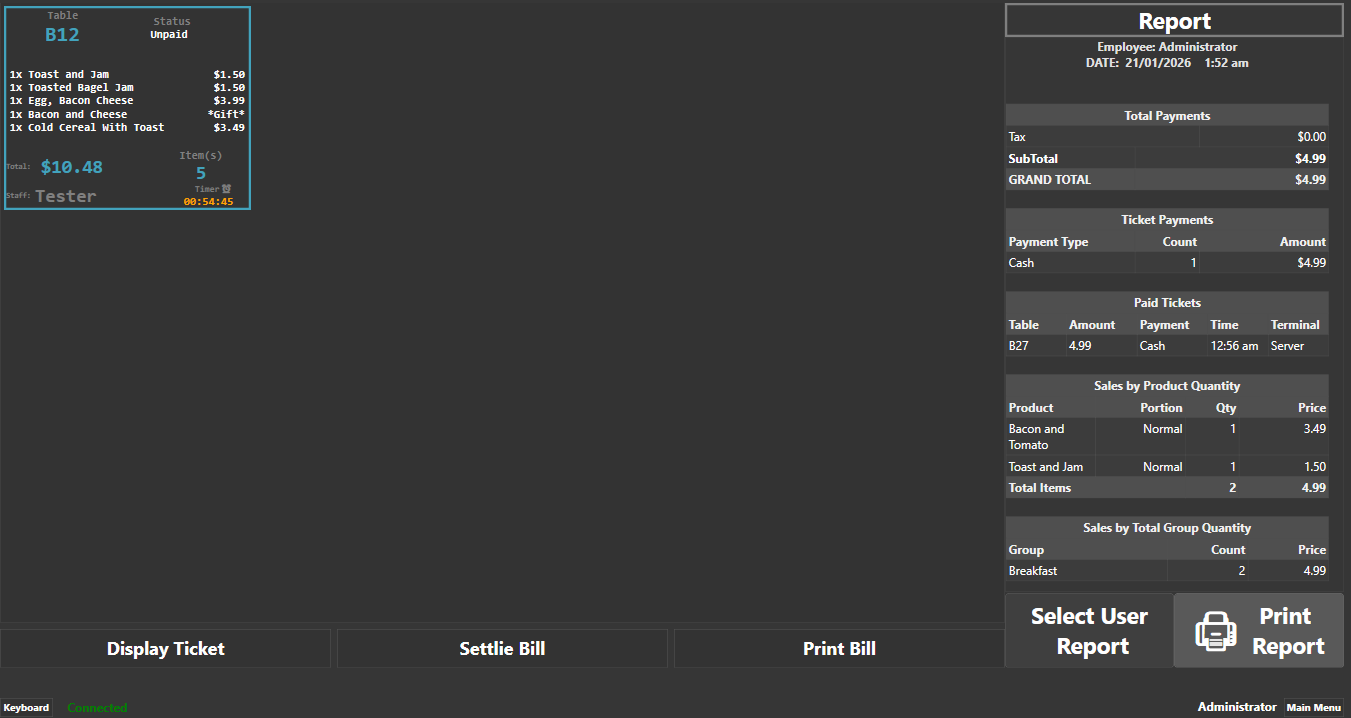
im using Ticket Lister, under Ticket Lister setting (Format)
<block 0,0,0,0 # center 135><size 15>  Table<color #FF42A3BD><size 28> {ENTITY NAME:Tables}<block 0,0,0,0 # center 165><size 15> Status<size 15>{TICKET STATE:Status}
<block 0,0,0,0 # left 300><size 20><color #FF42A3BD>{ENTITY NAME:Customers}
<block 5><size 15>
{ORDERS}
{DISCOUNTS}
{SERVICES}

<block 0,0,0,0 # left 200><size 10>Total:<size 25><color #FF42A3BD> ${REMAINING TOTAL}<block 0,0,0,0  center 120><size 15>Item(s)<size 25><color #FF42A3BD>{TICKET ORDER QUANTITY TOTAL EXP:(ODI=True)}
<block 0,0,0,0 # left 220><size 10>Staff: <size 25>{REPORT TICKET DETAILS:T.CreatedUserName:T.Id={TICKET ID}}<block 0,0,0,0 # center 100><size 12>  Timer⏰
<size 15><timer {TICKET DATE:HH:mm} {TICKET TAG:Pickup Minutes} 1>
-30:<size 15><m:{0:00}>:<s:{0:00}> min.
0-10:<size 15><m:{0:00}>:<s:{0:00}>
10:<size 15><h:{0:00}>:<m:{0:00}>:<s:{0:00}>


[ORDERS]
{QUANTITY}x {NAME}|${TOTAL AMOUNT}
{ORDER TAGS}

[ORDERS:Gift]
– Format for gifted orders
{QUANTITY}x {NAME}|Gift
{ORDER TAGS}

[ORDERS:Void]
{QUANTITY}x {NAME}|Void
{ORDER TAGS}

[ORDER TAGS]
– Format for order tags
 * {ORDER TAG NAME} | {ORDER TAG PRICE}

[DISCOUNTS]
 *{CALCULATION NAME} {CALCULATION AMOUNT}%| ${CALCULATION TOTAL}

[SERVICES]
 *{CALCULATION NAME} | ${CALCULATION TOTAL}
for my autommation Rules
this rule will help when you use Ticket lister to open Tickets so when you close it goes back to the TicketLister

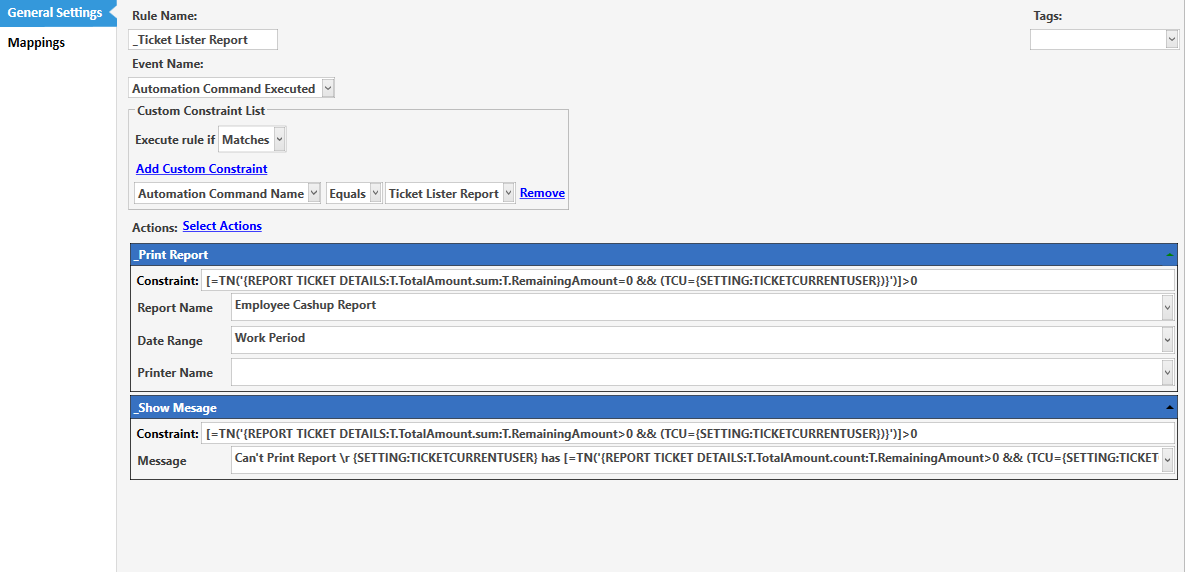
these rules is for when printing report per Waiter/User
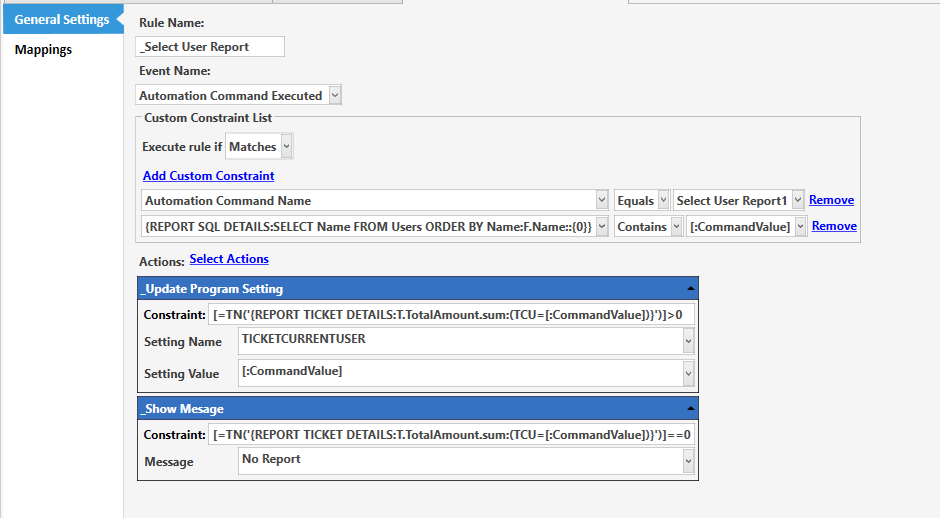
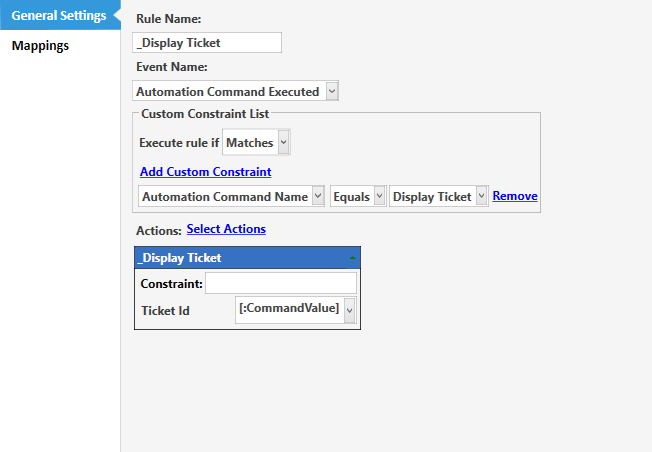
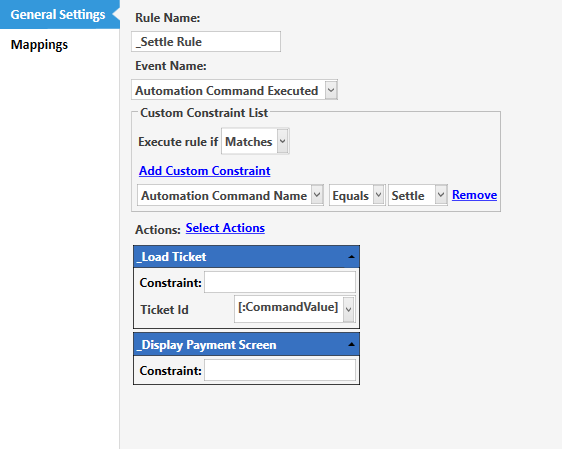
when settling Tickets you will need thsi rule
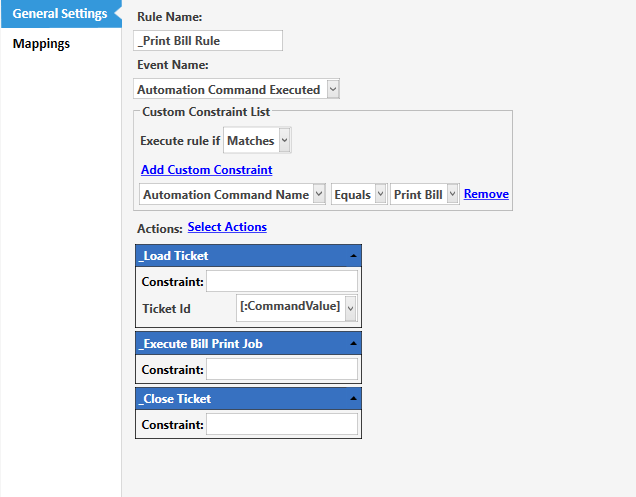
when printing Bill you wil need this rule
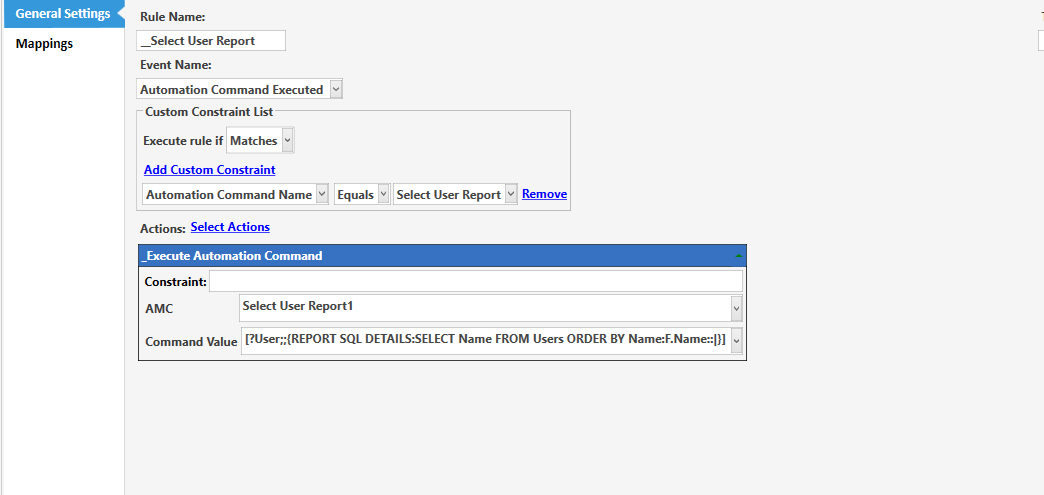
this rule is to chose which waiter’s report to print
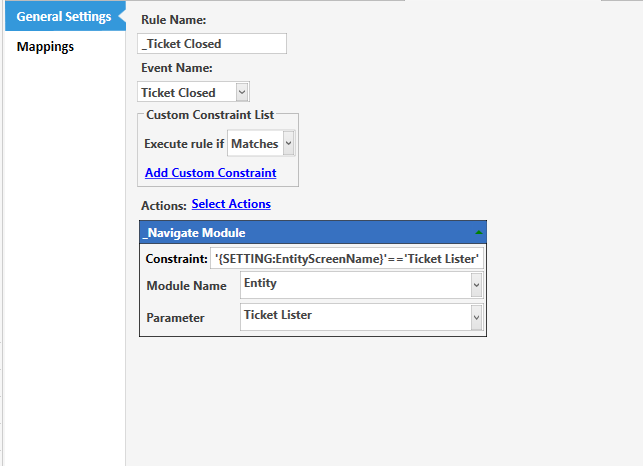
this rule when you close ticket it then goes to Ticket Lister
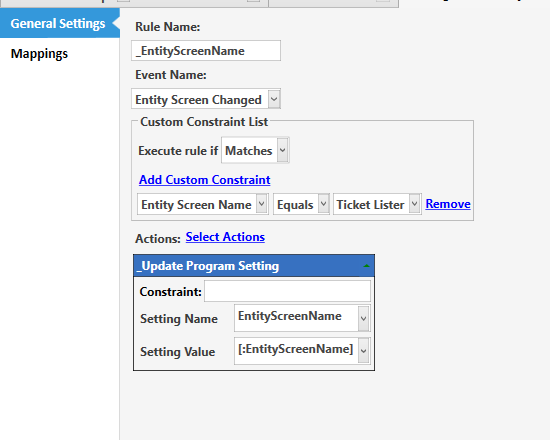
this rule will store the entity screen name so it remembers to go to Ticket lister when ticket closed
For Printing User Report
these are also part of the Ticket Lister Settings
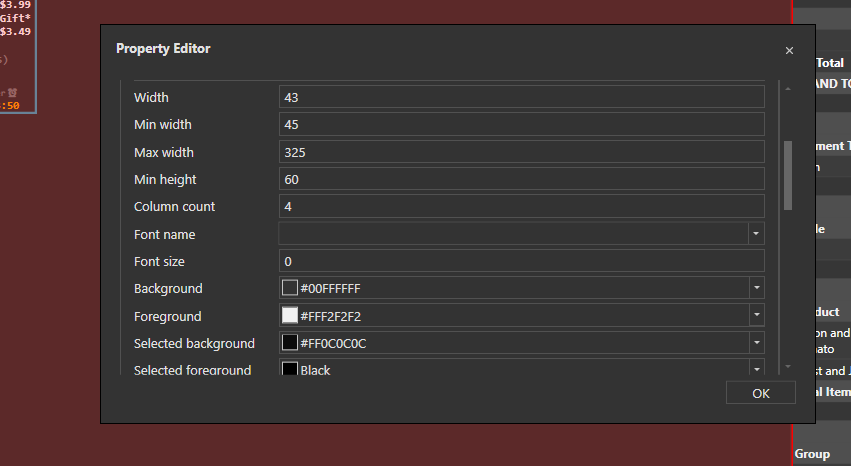
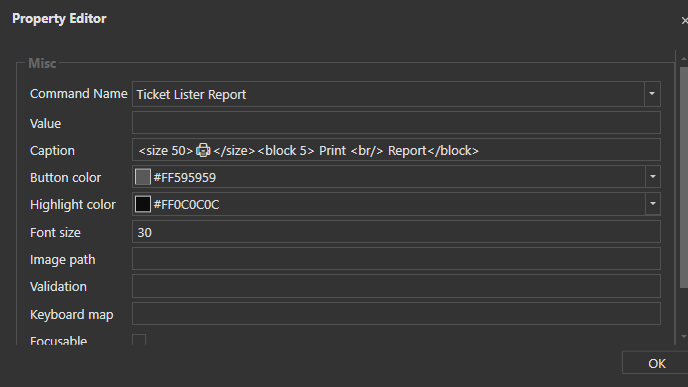
Create Autommation button: Print Report & Select User Report

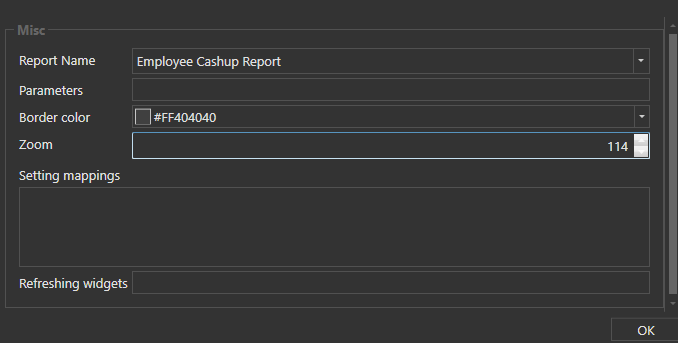
Custom Report Viewer settings

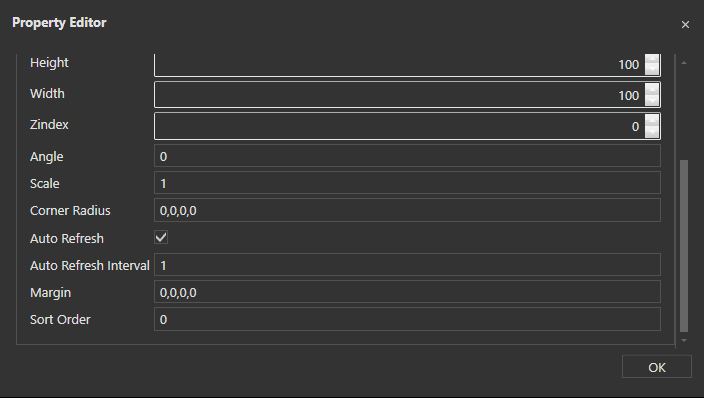
If you select User a dropdown list will show then you have to choose a User whose report you want to print, if they have open tickets it will let you know how many tickets are open under that user
for the User report template
Employee: {SETTING:TICKETCURRENTUSER}
DATE:  {DATE}    {TIME}

[Total Payments:2, 1, 2]
Tax||[=F(TN('{REPORT PAYMENT DETAILS:T.Tax.sum:(TCU={SETTING:TICKETCURRENTUSER})}'),'$0.00')]
>SubTotal|[=F(TN('{REPORT PAYMENT DETAILS:P.Amount.Sum:(TCU={SETTING:TICKETCURRENTUSER})}')-TN('{REPORT PAYMENT DETAILS:T.Tax.Sum:(TCU={SETTING:TICKETCURRENTUSER})}'),'$0.00')]
>>GRAND TOTAL|[=F(TN('{REPORT PAYMENT DETAILS:P.Amount.Sum:(TCU={SETTING:TICKETCURRENTUSER})}'),'$0.00')]

[Ticket Payments:2, 1, 2]
>Payment Type|Count|Amount
{REPORT PAYMENT DETAILS:P.Type,P.Type.Count,P.Amount.Sum:(TCU={SETTING:TICKETCURRENTUSER}):{0}|{1}|[=F(TN('{2}'),'$0.00')]}

[Ticket Calculation Payments:2, 1, 2]
>Calculation Type|Count|Amount
{REPORT CALCULATION DETAILS:C.Name,C.CalculationAmount.Sum:&& (TCU={SETTING:TICKETCURRENTUSER}):{0}||[=F(TN('{1}'),'$0.00')]}

[Unpaid Tickets:3,4,2,3]
>>Table|Time|Qty|Total
{REPORT TICKET DETAILS:EN.Tables,T.Time,T.ItemCount.Sum,T.TotalAmount.Sum:T.RemainingAmount>0 && (TCU={SETTING:TICKETCURRENTUSER})}

[Paid Tickets:6,7,7,6,6]
>Table|Amount|Payment|Time|Terminal
{REPORT PAYMENT DETAILS:EN.Tables,P.TenderedAmount,P.Type,P.Time,P.Terminal:(TS.Status=Paid) AND (PU={SETTING:TICKETCURRENTUSER})}

[Sales by Product Quantity:2.5, 2.5, 1.5, 2.5]
>Product|Portion|Qty|Price
{REPORT ORDER DETAILS:O.MenuItemName,O.PortionName,O.Quantity.Sum.desc,O.ExactTotal.Sum.desc:(ODI=True) && (TCU={SETTING:TICKETCURRENTUSER})}
>>Total Items|{REPORT ORDER DETAILS:MT.productType,O.Quantity.sum.desc,O.ExactTotal.Sum.desc:(ODI=True) && (TCU={SETTING:TICKETCURRENTUSER})}

[Sales by Total Group Quantity:2, 1, 1]
>Group|Count|Price
{REPORT ORDER DETAILS:O.ItemGroup,O.Quantity.Sum,O.ExactTotal.Sum:(ODI=True) && (TCU={SETTING:TICKETCURRENTUSER})}

[Void Details:3,4,4,2,3,3]
>>Table|Time|Item|Qty|Price|Terminal
{REPORT ORDER DETAILS:EN.Tables,O.Time,O.MenuItemName,O.Quantity,O.TotalPrice,T.Terminal:(OS.GStatus=Void) && (TCU={SETTING:TICKETCURRENTUSER})}

[Gift Details:2,2,3,1,2,2]
>Table|Time|Item|Qty|Price|Terminal
{REPORT ORDER DETAILS:EN.Tables,O.Time,O.MenuItemName,O.Quantity,O.TotalPrice,T.Terminal:(OS.GStatus=Gift) && (TCU={SETTING:TICKETCURRENTUSER})}
If you have any questions let me know
Thanks alot let me implement it.